Using Notion as a CMS for Gatsby.js
How I use Notion as a CMS for my website built with Gatsby.js. The script can also be used with different static site generator like Astro and Next.js


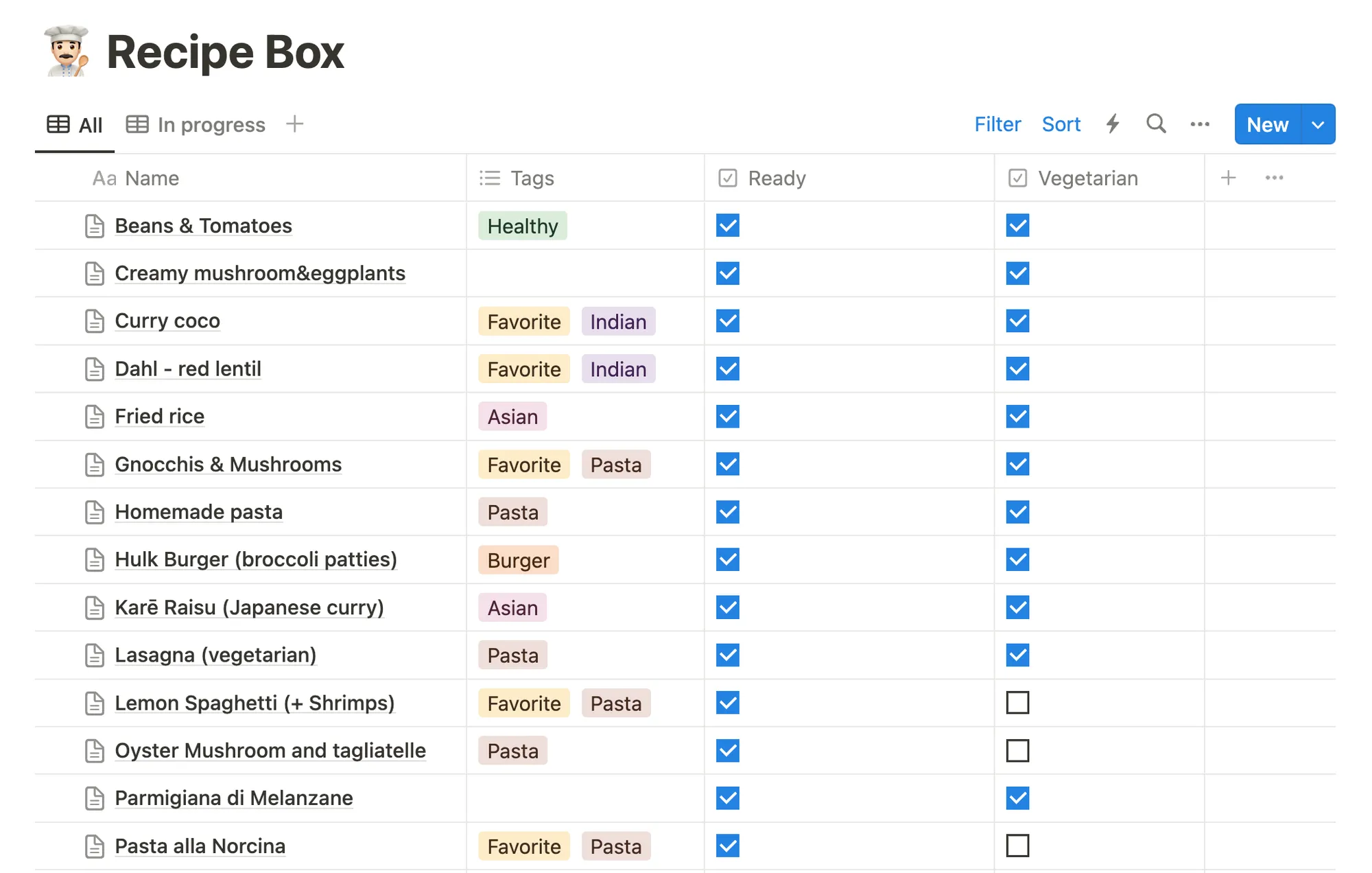
When I post on my blog, I write the content in markdown and Gatsby.js do some magic and converts everything to HTML. I had some cooking recipes on my Notion workspace and I recently wanted to publish them online.
Since I wanted to keep Notion as my source of truth, I had to find a way to publish them differently.
By the way, I titled this post mentioning Gatsby.js. But, if you use a different static site generator (like Astro or Next.js).
Big picture
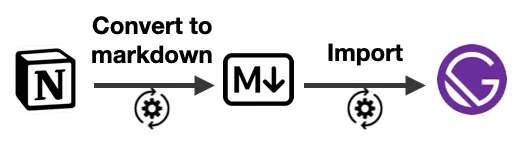
I have one JS script that does different things in 2 steps:
- Get all database pages (with the filter “ready”). And convert them to a markdown (or MDX) file.
- Gatsby makes HTML content out of the markdown.
Step #1: From Notion to Markdown
I wrote a NodeJS script that uses 2 libraries:
@notionhq/clientto query the pages of my database.notion-to-mdto convert the pages to markdown.
const fs = require('fs')var http = require('https')const { Client } = require('@notionhq/client')const { NotionToMarkdown } = require('notion-to-md')
const notion = new Client({ auth: 'your-secret-id' })const DB_ID = 'your-db-id'
const n2m = new NotionToMarkdown({ notionClient: notion })
// Get all pages in the databaseasync function getPages() { const pages = await notion.databases.query({ database_id: DB_ID, filter: { property: 'Ready', checkbox: { equals: true, }, }, }) return pages.results}
const getBlocks = async blockId => { const response = await notion.blocks.children.list({ block_id: blockId, page_size: 50, }) return response.results}
const download = (url, destination) => { const fileStream = fs.createWriteStream(destination) http.get(url, function (response) { response.pipe(fileStream) console.log('👨🍳 File downloaded', destination) })}
;(async () => { fs.rmdirSync('./content/recipes', { recursive: true }) fs.mkdirSync('./content/recipes') fs.mkdirSync('./content/recipes/assets') const pages = await getPages()
for (const page of pages) { const fileName = page.url.replace('https://www.notion.so/', '') const title = page.properties.Name.title.map(t => t.plain_text).join() const blocks = await getBlocks(page.id) let olCounter = 1
const cleanBlocks = blocks.map((block, i) => { if (block.type === 'image') { const imgFileName = `${fileName}-${i}.jpg` const destination = './content/recipes/assets/' + imgFileName download(block.image.file.url, destination) block.image.file.url = './assets/' + imgFileName } else if (block.type === 'numbered_list_item') { olCounter = blocks[i - 1]?.type === 'numbered_list_item' ? olCounter + 1 : 1 block.numbered_list_item.number = olCounter } return block })
const mdblocks = await n2m.blocksToMarkdown(cleanBlocks) const mdString = n2m.toMarkdownString(mdblocks).parent const coverFileName = `${fileName}-cover.jpg` page.cover && download(page.cover.file.url, './content/recipes/assets/' + coverFileName)
const header = `---title: ${title}date: ${page.created_time}slug: ${fileName}${page.cover ? `cover: ./assets/${coverFileName}` : ''}--- ` const fileContent = header + mdString
fs.writeFile(`./content/recipes/${fileName}.mdx`, fileContent, () => { console.log(`👨🍳 File downloaded: ${fileName}`) }) }})()Heads-up!
- To run the script, run
node scripts/notion-to-markdown.json your terminal. - I had to handle the
numbered_list_itemmanually (see theolCountervariable). Thenotion-to-mdlibrary currently has an issue with the ordered lists.
After running the script, my folder looks like the following:
content/├── posts # all my blog posts└── recipes ├── [recipe-1-slug].mdx ├── [recipe-2-slug].mdx ├── ... └── assets ├── [recipe-1-slug]-cover.jpg ├── [recipe-1-slug]-0.jpg ├── [recipe-2-slug]-cover.jpg ├── [recipe-2-slug]-0.jpg └── ...Step #2 - Gatsby.js
Dealing with Markdown is a thing that Gatsby does well. If you’re unfamiliar with it, I recommend you look at their Getting Started guides.
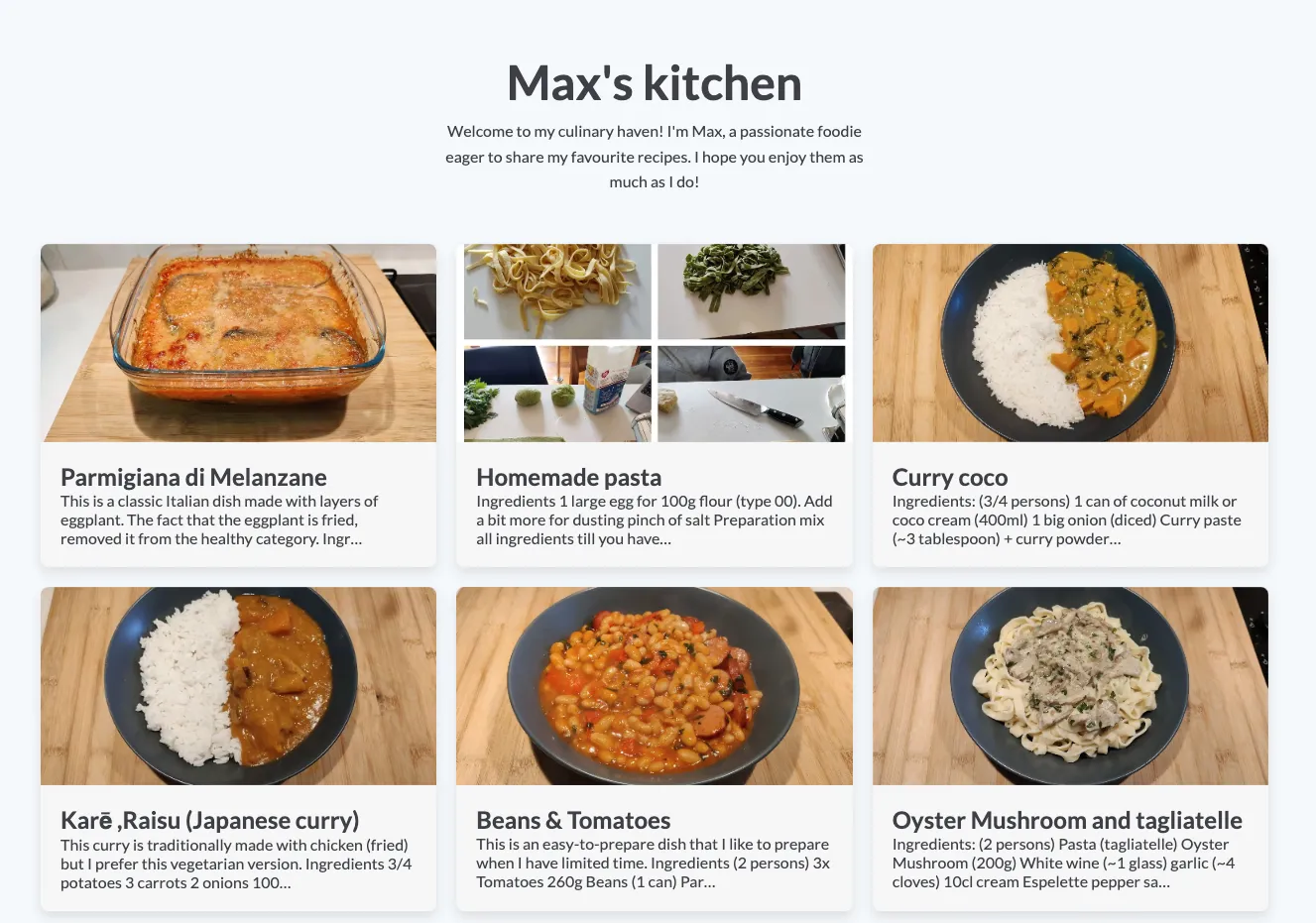
After some CSS fine-tuning, I ended up with something like that 🥳
If you want to check it out, the project is available here. By the way, my website’s GitHub repository is public!
What could be improved?
Deployment
If I change a typo in Notion, to see the fix live on my website, I need to run the command and then git commit&push the change.
Limited block support
At the moment I only support basic notion items. Things such as linking pages together, videos or uploaded files are not supported.
Also, I didn’t find a way to write MDX (Markdown+JSX)
Import everything or nothing
My notion-to-markdown.js script gathers all the posts and all the images at once. It’s ok for now
because I don’t have thousands of items in Notion. Otherwise, I’d probably have to add a new filter
in the notion.databases.query() function!

Keep reading